Fix a bad generation with a surgical edit
 Submitted by Max
Added 101 days ago
Submitted by Max
Added 101 days ago
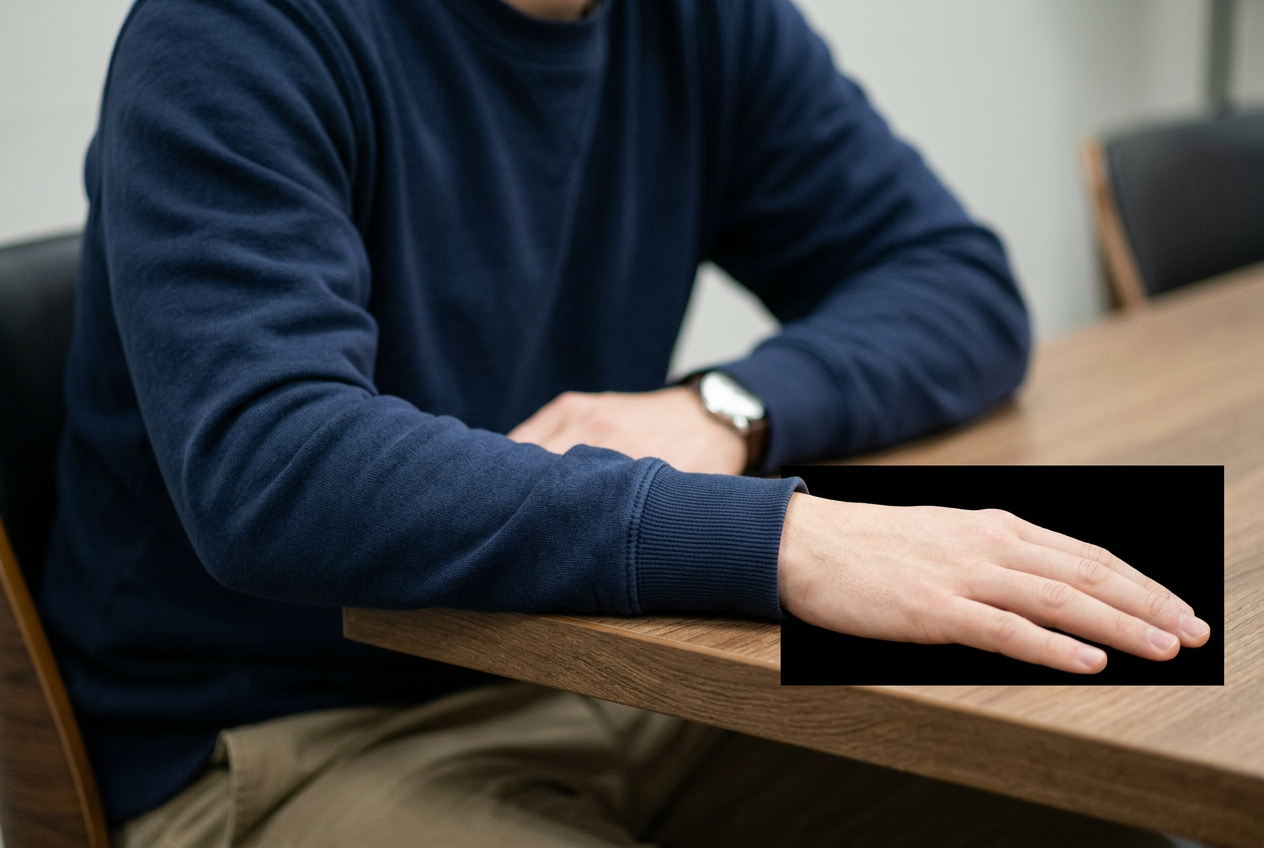
Inpaint only the masked region. Everything outside the mask must remain byte-identical.

In the masked area, render: {{exactly what should be there}}. Match the surrounding image on all of these: light direction and hardness, colour temperature, grain amount and size, focus and depth of field at that distance, perspective, and material texture. The new content must continue any lines, edges, or patterns that cross the mask boundary without a visible seam.

Do not add anything not described. Do not alter the subject's proportions or expression. Do not brighten or sharpen the region relative to its surroundings.

Negative: seams, mismatched grain, sharper-than-surroundings detail, duplicated features, extra fingers, text, watermark.
How to use it
Mask generously — a mask that is too tight forces the model to fight the boundary and creates the seam you're trying to avoid.
Example output
Compatible popular AI tools
These tools are mapped to this prompt based on their capabilities.




People who liked this prompt
12 community likes
 Rhys N.
 Nathan D.
 Marcus J.
 Axel V.
 Sage K.
 Carlos R.
 Sammy
Sammy
 Zara P
 Sophie B.
 Nina K.
 Raj N.
 Axel V.